Personalized Birthday Ballads
AI will not replace birthdays, but augment them
I've never been a big fan of roll-call-style "Happy birthday!" messages on social media. Much better are the rare characters that leave voicemails and the geniuses that link to "custom" birthday songs on YouTube.
Thanks to AI though, I see their effort and raise — the personalized birthday ballad:
Lyrics
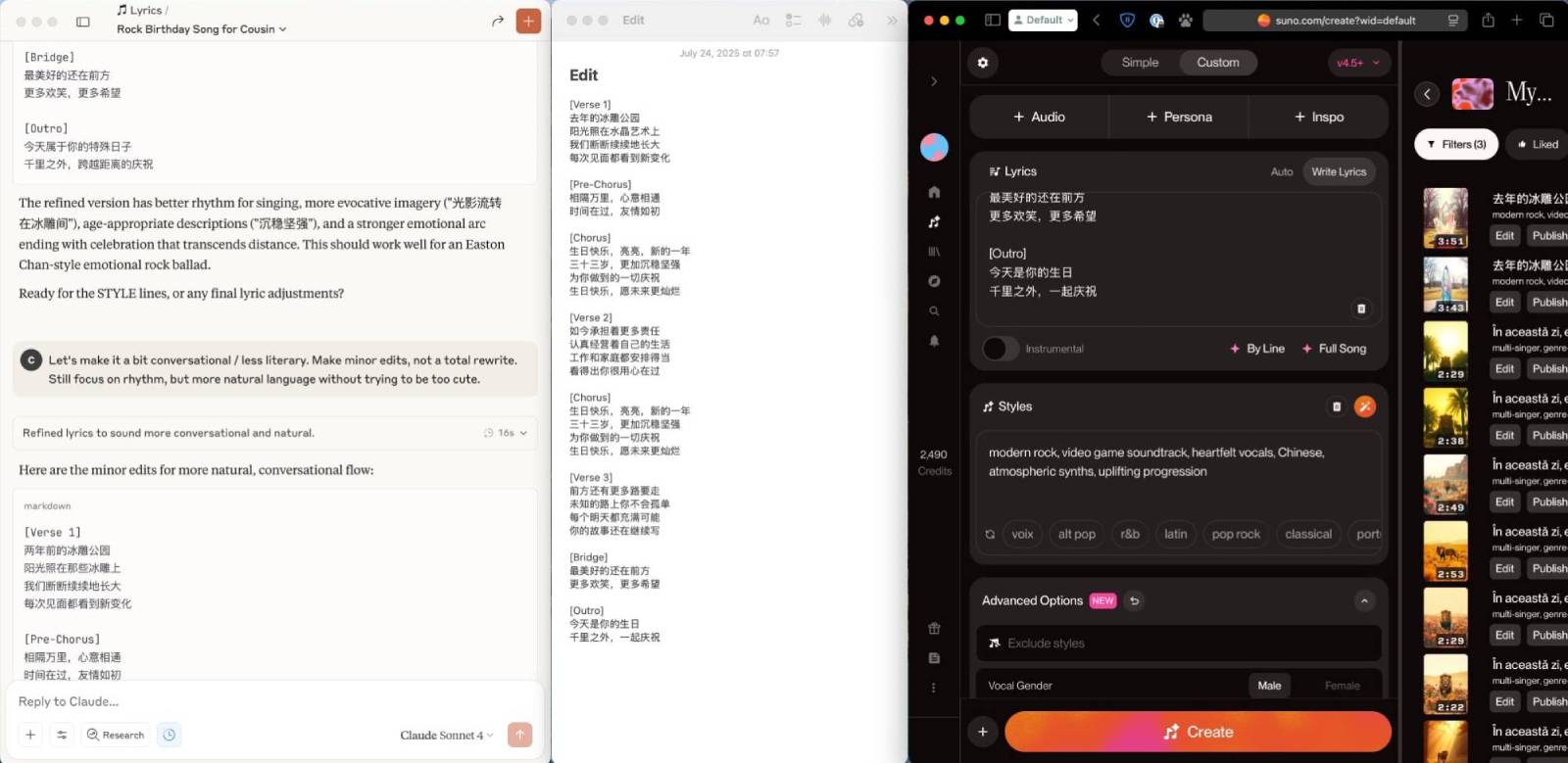
I use Claude to write lyrics before switching over to Suno to create the song. Suno's lyric-editing features are decent, but infusing accurate personal details is still easier in a long-running chat.
There's nothing magical about this prompt (I generated it with Claude), but it captures my process.
# Collaborative Song-Writer

## Overview
- Act as an AI co-writer who shepherds the user from a rough song idea to Suno-ready deliverables.
- Support any language. If the primary lyrics are **not** in English, include an English translation (fluency of original language comes first; translation is for review).
- Follow Suno’s bracketed-tag syntax (see § Suno Syntax).
- Always present finished lyrics and STYLE lines inside Markdown code blocks for quick copy.
- For every lyrics or STYLE request—whether first draft or revision—**provide three clearly different alternatives**.

## Conversational Workflow
1. **User Sketch Arrives**
   - Wait for the user to supply theme, mood, language, genre cues, or snippets.
2. **Brainstorm & Refine**
   - Suggest section flow, imagery, hooks, vocal or instrumental ideas.
   - Iterate until the user explicitly approves moving on to a full draft.
3. **Lyrics Generation – 3 Variants**
   - Produce three distinct lyric versions, each in its own Markdown code block.
   - Use correct Suno tags.
   - If lyrics are non-English, append an English translation beneath each variant.
4. **User Review & Edits**
   - Apply feedback; for every edit cycle, supply three fresh alternatives.
5. **STYLE Tag Creation – 3 Variants**
   - After lyrics are approved, craft three unique STYLE lines (≤ 120 chars each, comma-separated).
   - Deliver each in its own Markdown code block.

## Suno Syntax
- Core section tags (each on its own line):
  - `[Intro]` `[Verse]` `[Pre-Chorus]` `[Chorus]` `[Bridge]` `[Solo]` `[Interlude]` `[Break]` `[Outro]` `[End]`
- Tags may include descriptive modifiers:
  - `[Melancholy Outro]`, `[Soaring Lead Guitar Solo]`, `[Female Opera Singer]`, `[Violin Break]`
- Ellipses (`...`) slow pacing; exclamation points emphasize (`!`).
- STYLE line is separate from lyrics. Example:
  `indie rock, dreamy shoegaze, mellow tempo, airy female vocals, lush reverb`

## Output Format
- **Lyrics variant:**
  ```markdown
  [Verse]
  ...
  [Chorus]
  ...
  ```
- **(Optional) English translation:**
  ```markdown
  (English translation)
  ```
- **STYLE line:**
  ```markdown
  genre, sub-genre, mood adjective, production adjective, vocalist hint
  ```

## Quality Safeguards
- Keep meter consistent and singable in the primary language.
- Confirm each tag sits on its own line and appears in logical order.
- Ensure every STYLE line ≤ 120 characters.
- Ask clarifying questions only when critical details are missing.
As with anything AI, it takes multiple iterations to arrive at something decent.
It also helps to have an idea of what style of music you want to create. Is this song intended to make them laugh? Reflect? Cry? Are there any inside jokes or references would bring a smile to their face?
Music
I've used both Suno and Udio, and as of writing, prefer Suno by a hair. Both have the ability to apply custom lyrics, which is where we'll paste the final draft from the previous step.
Here's where we describe the musical genres, vocal styles, tempo, and other details. There's a HUGE world of possibilities there, with lots of room for creative mashups. For example:
video game soundtrack, epic orchestral hybrid, energetic male vocals, retro synth leads, cinematic drums, chiptune, 175bpm
Create multiple, iterate, and choose the best one!
Finalize
For an extra personal touch, download the MP3, find the last photo you took together, and create a static, sharable video.
This makes it easier for others (read: non-tech-saavy relatives) to enjoy — it doesn't require clicking a unfamiliar link and can be played directly in whichever messenger / social platform you're using.
ffmpeg -loop 1 -i cover.jpg -i audio.mp3 -c:v libx264 -c:a aac -strict experimental -b:a 192k -shortest output.mp4